


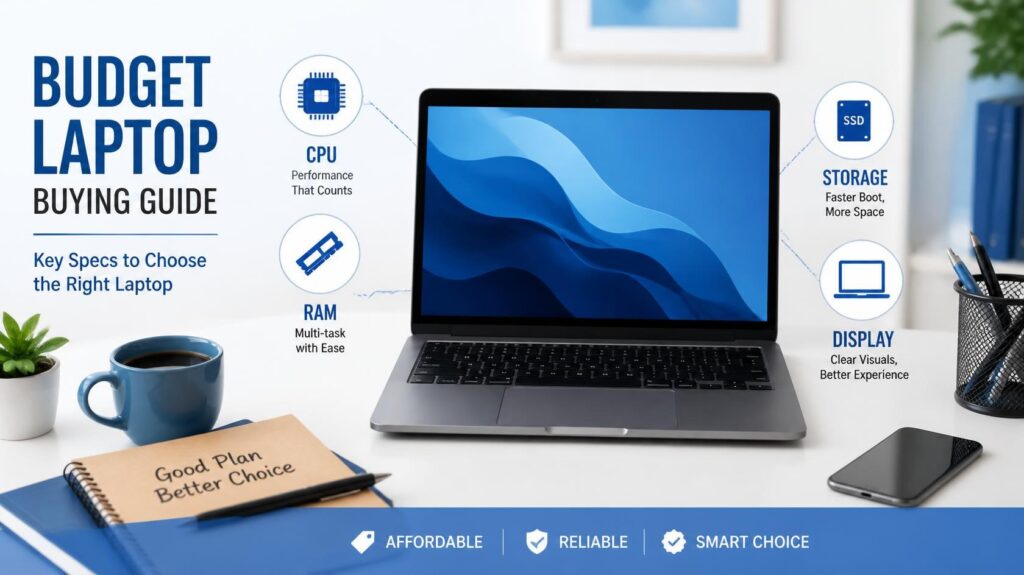
Following a reliable budget laptop buying guide ensures you spend your hard-earned money wisely without falling into common retail traps. Buying a budget laptop used to mean making severe compromises on processing power, display quality, keyboard comfort, and build materials. Just a few years ago, entry-level laptops were infamous for sluggish performance, plastic chassis that flexed under light pressure, and screens so dim they were virtually unusable near a window.
However, the budget laptop segment has undergone a massive transformation. Thanks to fierce competition between chip manufacturers like Intel and AMD, modern budget laptops come equipped with highly efficient multi-core processors, crisp Full HD displays, fast NVMe solid-state drives, and battery life that easily powers through a full day of classes or office work.
Whether you are a college student handling coursework or a freelancer managing client projects, this budget laptop buying guide will help you choose the right hardware specifications.
Key Specifications in This Budget Laptop Buying Guide
When shopping for an affordable machine, it is easy to get overwhelmed by complex technical jargon. To simplify your decision, focus primarily on four core components: the processor, system memory, internal storage, and screen quality.
1. Processor (CPU) Selection in Your Budget Laptop Buying Guide
The Central Processing Unit (CPU) serves as the engine of your computer. It dictates how fast applications launch, how smoothly web pages render, and how well the system handles simultaneous background tasks.
- Intel Processors: Aim for at least an Intel Core i3 or Core i5 (13th Generation or newer). These chips feature hybrid architectures with dedicated Performance cores for heavy tasks and Efficient cores for background operations, providing a great balance between speed and battery preservation.
- AMD Processors: Look for AMD Ryzen 3 or Ryzen 5 (7000 series or newer). AMD’s modern mobile processors offer superior multi-core efficiency and exceptionally capable integrated Radeon graphics, making them fantastic value-for-money options.
- Processors to Avoid: Steer clear of older Intel Celeron, Pentium, or AMD Athlon chips. While they may drive down the laptop’s price tag, they struggle significantly with modern web browsers, operating system updates, and basic multitasking.
2. Memory (RAM) Checklist for a Budget Laptop Buying Guide
Random Access Memory (RAM) allows your computer to run multiple programs and open numerous browser tabs simultaneously without slowing down.
- 8 GB RAM (The Baseline): In 2026, 8 GB of DDR4 or DDR5 RAM is the absolute bare minimum required for a smooth operating system experience. It handles document editing, video streaming, and moderate browser tab usage comfortably.
- 16 GB RAM (Recommended Target): If your workflow involves opening dozens of browser tabs, running memory-heavy applications like Zoom or Excel alongside background tools, or editing photos, 16 GB is highly recommended.
- Upgradeability Tip: Always check if the laptop has user-accessible RAM slots (SO-DIMM). If you buy an 8 GB model today, having an open slot allows you to cheaply upgrade to 16 GB down the road.
3. Storage SSD vs HDD Rules
Storage dictates how much data you can store locally and how fast your system boots up.
- Never Buy an HDD: Do not purchase any laptop in 2026 that relies on a traditional spinning Hard Disk Drive (HDD) as its primary boot drive. HDDs are slow, fragile, and drastically degrade the overall user experience.
- NVMe Solid-State Drives (SSD): Always ensure the machine features an NVMe SSD. A 256 GB NVMe SSD is acceptable if you rely heavily on cloud storage, but a 512 GB SSD is the ideal sweet spot for storing applications, media, and operating system updates without running out of room within a year.
4. Display Quality & Panel Type
Because you will interact with your laptop screen for hours every day, screen quality heavily impacts user comfort and eye strain.
- Resolution: Never accept a screen resolution below Full HD (1920 x 1080 pixels). Lower resolutions like 720p (1366 x 768) display blurry text and offer limited screen real estate.
- Panel Technology: Look specifically for an IPS (In-Plane Switching) panel. Avoid cheap TN (Twisted Nematic) panels, which exhibit washed-out colors and severe color distortion when viewed at slight angles.
- Brightness: Look for a panel rated at a minimum of 250 to 300 nits of brightness so the screen remains readable under indoor overhead lighting.
Budget Feature Comparison Table
| Feature | Minimum Acceptable | Recommended Target |
| Processor | Intel Core i3 / AMD Ryzen 3 | Intel Core i5 / AMD Ryzen 5 |
| RAM | 8 GB DDR4 / DDR5 | 16 GB DDR5 |
| Storage | 256 GB NVMe SSD | 512 GB NVMe SSD |
| Display | 14″ / 15.6″ FHD (1080p) TN | 14″ / 15.6″ FHD IPS Panel |
| Battery Life | 5–6 Hours | 8+ Hours |
Final Verdict on This Budget Laptop Buying Guide
Finding the perfect affordable laptop comes down to smart prioritization rather than chasing top-tier benchmarks. When reviewing choices using this budget laptop buying guide, prioritize a capable multi-core CPU, an IPS Full HD screen, and fast SSD storage above aesthetic gimmicks like ultra-thin bezels or RGB backlighting.
By sticking to established hardware configurations from reliable brands and verifying RAM upgradeability, you can secure a responsive, durable laptop that serves your computing needs reliably for years to come.