


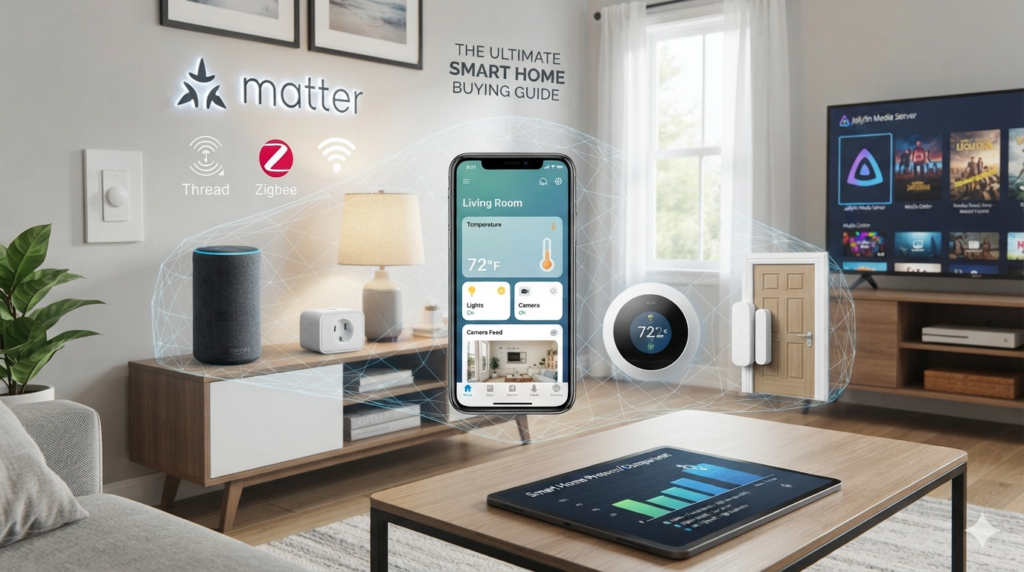
Transforming your living space into an automated environment can feel confusing with so many competing standards, protocols, and brands available. Learning how to navigate this ultimate smart home buying guide allows you to master selecting connected lighting, security systems, and voice assistants so you can effortlessly build a unified smart home ecosystem.
In this beginner-friendly article, you will discover the proven evaluation metrics to check before spending your money, ensuring every device you purchase works seamlessly together on your local network. If you also want to build private network infrastructure for your personal media, check out our guide on How to Set Up a Jellyfin Media Server.
Why Use an Ultimate Smart Home Buying Guide
Before purchasing individual smart bulbs or door locks, it is vital to understand why following a structured ultimate smart home buying guide saves you from severe ecosystem lock-in and security flaws. Unplanned smart home purchases often result in fragmented apps, high wireless network congestion, and devices that stop working if your internet connection experiences an outage.
Building an automated home requires looking beyond clever marketing and focusing on foundational hardware protocols. When you prioritize open-standard compatibility early on, your home automation system remains flexible, fast, and scalable for years to come.
- Prevent Ecosystem Fragmentation: Ensure your smart plugs, sensors, and bulbs communicate using universal standards like Matter and Thread.
- Protect Network Security: Select local-first hubs that do not rely on central cloud servers for daily automation processing.
- Avoid Wi-Fi Overload: Learn when to choose dedicated Zigbee or Thread mesh protocols instead of crowding your standard home Wi-Fi router.
- Reduce Energy Costs: Identify smart thermostats and energy-monitoring switches that lower monthly utility bills.
Protocol Breakdown for an Ultimate Smart Home Buying Guide
To make an effortless buying decision, review the core wireless protocols available in modern smart devices before purchasing hardware. Connecting dozens of devices directly to your main Wi-Fi network can cause severe latency and router stability drops.
Using mesh-capable standards like Thread and Zigbee ensures that each powered device acts as a signal repeater, expanding wireless coverage through your walls and floor levels without reducing network speed.
Smart Home Protocol Comparison
| Protocol Type | Connection Range | Power Consumption | Best Use Case |
| Matter / Thread | Mesh Network (High) | Ultra-Low | Cross-brand smart home interoperability |
| Zigbee 3.0 | Mesh Network (Medium) | Very Low | Motion sensors, door contacts, smart bulbs |
| Z-Wave Plus | Long Range (Sub-1GHz) | Very Low | Smart door locks, security sensors, garage doors |
| Wi-Fi (2.4 GHz) | Direct Router Connection | Moderate to High | High-bandwidth cameras and video doorbells |
Step 1: Choose Your Primary Smart Home Ecosystem
The first phase of this ultimate smart home buying guide is choosing your master control interface.
1.Select Your Voice Assistant Control Center:
Decide whether your household relies on Apple Home, Google Home, or Amazon Alexa. Your choice determines which smart speakers and displays you should buy for hands-free voice commands.
2.Prioritize Matter Certification:
Look for the official “Matter” badge on product packaging. Matter-certified hardware allows Apple, Google, Amazon, and SmartThings devices to control the exact same physical accessory without custom software hacks.
3.Evaluate Local Control Hubs:
For maximum privacy, consider open-source local hubs like Home Assistant to process home automations offline without cloud tracking.
Step 2: Select High-Value Entry Devices
When starting your smart home journey, focus your budget on hardware that provides immediate convenience and power savings.
- Smart Lighting: Opt for smart light switches rather than individual smart bulbs if you want to control multi-bulb ceiling fixtures effortlessly.
- Smart Thermostats: Choose energy-star rated thermostats that adjust temperatures based on occupancy sensors to lower HVAC electricity consumption.
- Smart Security Sensors: Position contact sensors on exterior doors and windows alongside motion sensors to automate night lighting and monitor security.
- Smart Plugs: Use inexpensive smart plugs with built-in energy monitoring to schedule legacy floor lamps, fans, and small kitchen appliances.
Step 3: Check Power Requirements and Physical Installation
Before finalizing your order using this ultimate smart home buying guide, verify your home’s physical electrical wiring. Incompatible voltage levels or missing ground wires can stall your installation process.
1.Verify Neutral Wire Availability:
Many smart light switches require a neutral electrical wire inside your wall switch box. If your house lacks neutral wiring, select specialized “No-Neutral” smart switches or smart inline dimmers.
2.Check Power Outlets and Hub Placement:
Place your main smart home hub or Thread Border Router in a central room to ensure mesh signals spread evenly across your entire property.
3.Optimize Network Performance:
For additional tips on organizing your home tech and optimizing connected devices, read our complete guide on Fixing High CPU Usage and System Performance.
Performance Tweaks for Smart Home Reliability
Once you purchase your devices using this ultimate smart home buying guide, apply these proven network tweaks to keep automations running reliably:
- Assign Static IP Addresses: Set fixed IP assignments in your router dashboard for smart hubs, bridges, and security cameras to prevent disconnection issues.
- Separate Wi-Fi Bands: Move smart home Wi-Fi accessories to a dedicated 2.4 GHz guest network or VLAN to isolate them from your primary laptops and smartphones.
- Utilize Powered Mesh Repeaters: Plug in permanently powered Zigbee or Thread smart plugs to act as wireless signal repeaters for distant battery-powered door sensors.
- Disable Cloud Dependencies: Where possible, set up local routines inside your primary smart home controller so light switches and sensors operate during internet outages.
Final Verdict on Ultimate Smart Home Buying Guide
Mastering this ultimate smart home buying guide gives you total control over your connected living space. By selecting open protocols like Matter, verifying physical wiring compatibility, and prioritizing local automation hubs, you gain an effortless, secure smart home that runs smoothly for years to come.
For official protocol verification and compatibility databases, refer to the Connectivity Standards Alliance Portal.
Comparison Table: Smart Home Control Options
| Category / Feature | Smart Light Switches | Smart Light Bulbs | Smart Plugs |
| Installation Effort | Moderate (Requires Wiring) | Very Easy (Screw In) | Instant (Plug In) |
| Wall Switch Compatibility | Maintains Wall Control | Wall Switch Must Stay ON | Controlled via App / Voice |
| Cost Efficiency | High for Multi-Bulb Fixtures | High for Single Lamps | Very High for Appliances |
| Color Ambience Control | Standard Dimming Only | Full RGB Color Control | On / Off Power Control Only |
| Best For | Built-in Room Lighting | Accent & Mood Lighting | Lamps, Fans, & Coffee Makers |